2026 Calendar
- 4.2
- Rating
- 1.00M
- Installs
- Free
- Price
 Analysis by App-foxy
When I need to check a date quickly, I usually want less than a full productivity system. I want a calendar that opens without turning a simple question into a project. 2026 Calendar takes that focused approach: it is an Events app built around viewing the dates of the year 2026. I found it most useful as a straightforward reference tool rather than as a replacement for a complete planning platform.
That distinction matters. Many calendar apps are designed around appointments, reminders, shared schedules, invitations, and account synchronization. This one is easier to understand at a glance. Its central purpose is to help you look through the year and locate dates, which makes it suitable for checking weekdays, planning around holidays you already know, or keeping a basic year view available on an Android device.
My overall impression is that its value comes from simplicity, not from a long list of advanced tools. If you want a lightweight way to inspect the 2026 calendar, it is worth considering. If you expect task management, automatic event imports, or collaboration, you should look toward a more comprehensive calendar service instead.
You May Also Like

 Pandora - Music & Podcasts
Pandora’s Music Is Easy to Start, but Harder to Recover
Pandora’s strength is its low-effort path from a seed to a station. Its weak spot is how much confidence it asks you to place in connection, setup, and quiet recovery.

 AccuWeather: Weather Radar
AccuWeather Review: A Quick, Clear Forecast for Everyday Decisions
For everyday plans, the best forecast is the one you can understand quickly. AccuWeather makes rain timing, radar, and local conditions easy to act on, with a few trade-offs.

 Hill Climb Racing
Why Hill Climb Racing Still Turns Crashes Into One More Run
A tiny car, a bumpy hill and one more upgrade: Hill Climb Racing keeps resurfacing because its simple chaos makes every near-miss feel personal.

 AliExpress - Shopping App
AliExpress Makes Global Shopping Feel Personal, but Shoppers Bear the Risk
AliExpress turns a global marketplace into a pocket-sized discovery engine. Its reach is useful, its shopping loop compelling, and its trade-offs easy to miss.

 Lords Mobile: Kingdom Wars
Lords Mobile Is a Kingdom-Building Routine, Not a Quick Match
A case-by-case verdict on the building, battles, device demands, and social commitments that make Lords Mobile rewarding for some players and exhausting for others.

 PDF Scanner app - TapScanner
TapScanner Makes Paperwork Easier to Capture, Check, and Share
TapScanner makes scanning with a phone feel less like a rescue operation and more like a dependable step in getting work done. Its capture tools are useful, though not flawless.
More From Our News Desk
View All News


What using 2026 Calendar feels like
The app was released on May 21, 2021, by Dhaneswar ojha, and its current version is 2.2.1. It is available for free and carries an Everyone age rating. The minimum requirement of Android 5.0 also makes it accessible on older phones that cannot comfortably run some newer planning applications.
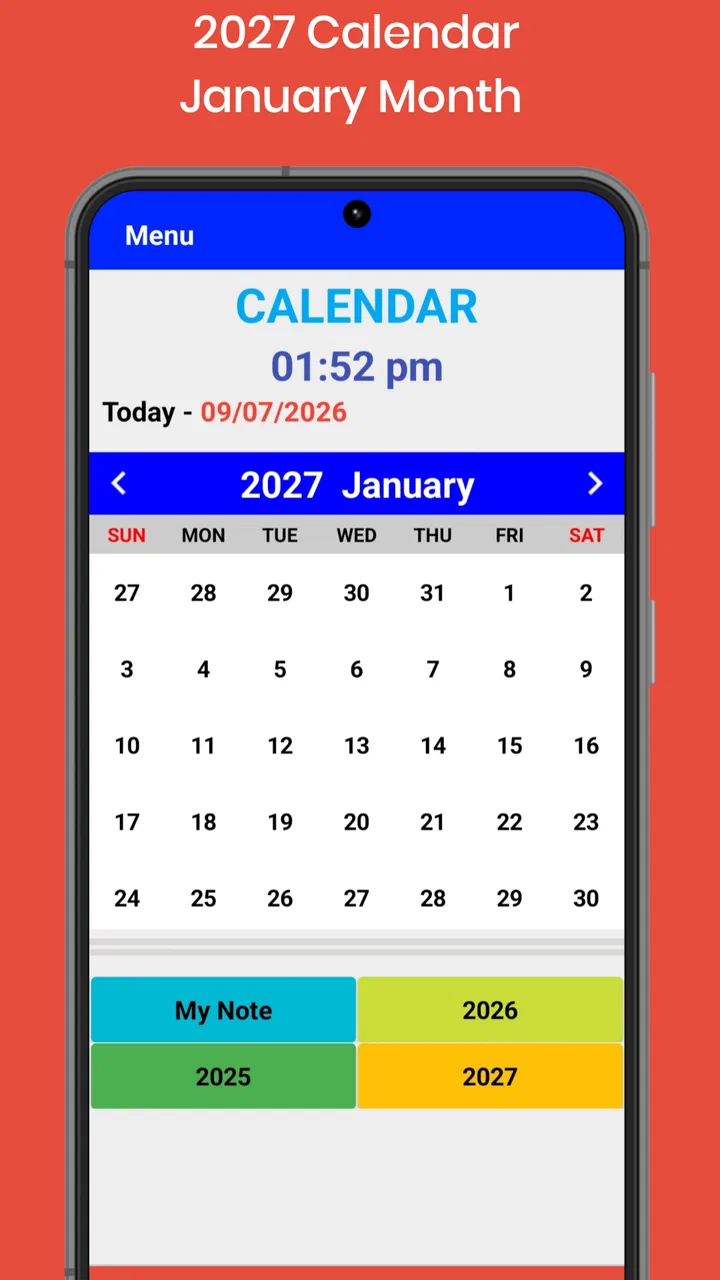
In everyday use, I would treat it like a digital wall calendar. For example, imagine that I am arranging a family visit and want to see how a particular date falls within the week. Instead of opening a crowded work calendar filled with old appointments, I can use a dedicated year reference and focus on the date itself. That small difference can make a routine check faster and less distracting.
The app is also useful when I am making a paper planner or preparing a school, travel, or work schedule. I can keep it open while transferring dates into another notebook or application. This is one of its less obvious strengths: a simple calendar can work well as a companion screen, even when it is not the place where I finally store an event.
Its store presence suggests broad appeal, with more than a million installs and an average rating of 4.2 from around 2.6 thousand ratings. Those figures tell me that many people find the basic concept useful, but they do not turn the app into a full scheduling solution. I would still judge it by the kind of calendar work I need to do.
A focused calendar instead of a personal organizer
The most important question is whether you need to view dates or manage them. 2026 Calendar fits the first job. A conventional calendar included with a phone is usually better when I need recurring appointments, notifications, contact-based invitations, or synchronization across devices. A service such as a mainstream online calendar is also more appropriate for a household or team that needs shared editing.
Where this app can be more comfortable is in the quick-reference situation. A general calendar may open on the current month, display several layers of information, and ask me to choose an account before I can create anything. A dedicated year calendar can feel calmer when I only need to answer a question such as, “Which weekday is that date?”
That focus is also the main limitation. I would not install it expecting a personal command center. It should not be the only tool for someone who manages deadlines, medication schedules, meetings, or multiple family calendars. For those tasks, missing planning depth would become friction rather than simplicity.
Trust starts with a narrow purpose
I find narrowly defined apps easier to evaluate because their purpose is visible. Here, the stated subject is the 2026 calendar, and the category is Events. The developer is named as Dhaneswar ojha, while the app remains free to use. Those details give me a clear starting point: this is a small date-reference utility, not a service that needs to become the center of my digital life.
Still, a simple purpose should not make me careless. Before installing any calendar application, I check the permission prompts shown by my device and read the choices presented during setup. I do not assume that a calendar app needs access to contacts, location, files, or existing calendars merely because it displays dates. The important trust question is always what the app visibly asks me to allow.
That is particularly relevant here because a date viewer can be useful without becoming connected to personal schedules. I would keep the app separate from sensitive information unless I had a clear reason to grant access. If the first launch presents an optional request, I would read it rather than accepting automatically. This habit protects privacy without making the app difficult to use.
Permissions and visible choices deserve attention
My practical advice is to install it, observe the first screens carefully, and use the operating system’s permission manager afterward. Android lets me review and change permissions from the app settings. If a permission does not match the way I intend to use the calendar, I would leave it disabled and see whether the basic date view still works.
This is not a criticism of the developer; it is a sensible rule for any calendar-related tool. Dates themselves are not especially sensitive, but personal appointments can reveal work patterns, health information, travel plans, and family routines. I would avoid entering private details into any app unless I understood where those details were stored and which controls were available.
The app’s Everyone rating makes it approachable for a broad audience, including households that want a simple reference. Even so, an age rating is not a substitute for reviewing permissions. Parents, older users, and anyone using a shared phone should take a moment to check what the application can access and whether the device’s account settings affect the experience.
How I would use it without exposing more than necessary
My preferred workflow would be deliberately minimal. I would use 2026 Calendar to inspect the year, then write important appointments into the calendar system I already trust. This separates date lookup from personal record keeping. It also reduces the chance that a quick reference app becomes the accidental home for information I would rather manage elsewhere.
A second useful workflow is comparing dates while planning something offline. Suppose I am choosing several possible days for a small event. I can check how those dates sit across the year, note the options in a notebook, and only later create the final appointment in my main calendar. This avoids creating a trail of abandoned events and keeps the planning process tidy.
A third tip is to use the app as a verification step before committing to a schedule. If someone tells me that a date falls on a weekend, I can check it independently rather than relying on memory. That is especially helpful when preparing printed notices, booking travel, or organizing a recurring activity where one wrong weekday can affect many people.
These workflows reveal a useful trade-off: the less personal information I place in a date viewer, the less convenient it may be for reminders, but the clearer its role becomes. I prefer that separation when I am only checking dates. For active scheduling, I would move immediately to a tool designed to retain events and notify me.
Where it fits beside the usual alternatives
The usual alternative is the calendar already installed on a phone. That option often wins for convenience because it may combine dates with reminders, accounts, and notifications. It is the better choice when I want one place to manage daily commitments. 2026 Calendar is more appealing when those extra layers feel unnecessary and I only want a clean reference for the year.
Another alternative is a paper calendar. Paper remains excellent for a kitchen wall, shared family notes, and quick visual planning. The app is easier to carry and can be consulted wherever the phone is available, but it does not automatically provide the physical visibility of a calendar everyone can see at home.
Online calendar platforms are stronger for collaboration. They can be appropriate for teams, couples, classrooms, and anyone who needs changes to appear across several devices. I would choose one of those services over this app for shared appointments because collaboration and synchronization are central to that use case.
In other words, 2026 Calendar is not competing with every calendar product on equal terms. It is closer to a compact reference sheet. That can be exactly right for a person who dislikes clutter, uses another system for appointments, or owns an older Android phone. It is the wrong fit for someone searching for a complete scheduling workflow.
Small limitations that affect the decision
The fixed focus on 2026 is both its identity and its constraint. If I need to compare several years, plan far into the future, or look back at previous dates, I would need another calendar tool. The app makes sense for a specific annual reference, but that specialization may feel restrictive once my needs extend beyond that year.
I would also be cautious about relying on it for important commitments unless I can confirm that the app offers the reminders and storage behavior I need. A visual calendar can show me a date without actively warning me about it. For flights, examinations, medical appointments, or payment deadlines, I would use a dedicated reminder or calendar service as the final source of truth.
There is also a difference between checking a date and understanding local observances. A basic year calendar can tell me where dates fall, but I would verify public holidays, regional working days, and cultural events through an authoritative local source before making arrangements. That extra check matters because calendars can be interpreted differently depending on country, workplace, or school schedule.
These limitations do not make the app poor. They simply define the boundary of a sensible recommendation. I like tools more when I know exactly what job they are doing, and this one should remain a date-viewing tool in my setup.
Who should install it
I would recommend it to someone who wants a free, uncomplicated way to view the 2026 dates on Android, especially if the phone runs an older version of the operating system. It may also suit students, families, and casual planners who want a year reference beside a notebook or a separate reminder app.
It is a reasonable choice for people who prefer not to connect every small utility to their main account. I would still inspect the permission prompts and device settings, but the narrow role makes it easier to keep the app’s use limited. That can be valuable for someone who wants a calendar view without immediately importing personal appointments.
I would skip it if my priority is synchronization, shared calendars, recurring events, alerts, or an event history that follows me across devices. In those cases, the calendar built into the phone or a mature online service will probably save time. I would also skip it if I need a calendar covering multiple years rather than a dedicated view of 2026.
My cautious verdict
After looking at it as both a calendar utility and a privacy-sensitive app, I see a clear, modest product. 2026 Calendar is best when the question is “What date is that?” rather than “How do I manage my entire schedule?” Its free access, Everyone rating, broad install base, and support for Android 5.0 make it easy to consider, while its focused purpose keeps expectations realistic.
The developer, Dhaneswar ojha, has presented an app that is easy to place in a user’s toolkit: use it for a quick year view, then rely on a more capable service for personal commitments. I would keep permissions limited to what I can justify, avoid storing sensitive appointment details unless the controls are clear, and verify important holidays or deadlines elsewhere.
For me, that makes 2026 Calendar a useful secondary calendar rather than a complete organizer. I would recommend it to a reader who values a simple date reference and understands its boundaries. I would not recommend replacing a trusted scheduling system with it. Used in the right role, it can be convenient and pleasantly uncomplicated; used as a full planner, it is likely to leave important needs unmet.
FAQs for 2026 Calendar
01What features does the 2026 Calendar app offer?
The 2026 Calendar app provides a comprehensive view of the year with features such as customizable reminders, public holiday listings, and integration with your existing calendar apps. You can also add personal events, set recurring events, and choose from various themes to personalize your experience.
02Is the 2026 Calendar app available for both Android and iOS devices?
Yes, the 2026 Calendar app is available for download on both Android and iOS platforms. The app is optimized for smartphones and tablets, ensuring a seamless experience across different devices. You can download it from the Google Play Store or Apple App Store.
03Does the 2026 Calendar app require an internet connection to function?
The 2026 Calendar app can function offline, allowing you to view your calendar and events without an internet connection. However, to sync data across devices or update holidays and events, you will need to connect to the internet periodically.
04Are there any in-app purchases or subscriptions required for the 2026 Calendar app?
The basic version of the 2026 Calendar app is free, but it does offer in-app purchases for premium features. These may include additional themes, ad-free experience, and advanced customization options. Subscriptions can enhance your user experience, but are not mandatory for basic functionality.
05How does the 2026 Calendar app handle data privacy?
The 2026 Calendar app prioritizes user privacy by adhering to strict data protection policies. It requires minimal personal information and uses encryption to secure your data. The app does not share your information with third parties without your explicit consent, ensuring your data remains private.
Pros
- Easy navigation and user-friendly interface.
- Customizable reminders and notifications.
- Includes public holidays and events.
- Syncs seamlessly with other calendars.
- Minimal ads for an uninterrupted experience.
Cons
- Limited theme and design options.
- No offline access for some features.
- Occasional sync delays observed.
- Lacks integration with task managers.
- Requires in-app purchases for premium features.

2026 Calendar
Gallery